

The Simple Dash: Why the OBS Cockpit Still Beats a Screen
There’s a particular kind of satisfaction in an OBS cab. The gauges sit where you expect. The controls feel like controls. Reach for a knob, turn it, and the fan changes. Press a button, and it does its job.
No menu to open. No swipe to master. No tiny icon asking you to guess what it means.
That simplicity isn’t just nostalgia talking. It’s a design philosophy. And it’s a big part of why so many of us still love the view from behind an OBS steering wheel.
A dash that tells you what it is
An OBS dashboard is a physical landscape. Analog gauges, familiar markings, climate controls, radio, switches. The important stuff is laid out in front of you, ready to be seen and understood at a glance.
A knob has a shape. A slider has a travel. A button gives you a little click back. These details make the cab feel legible. You don’t need to remember which screen holds the fan speed or whether the defrost setting lives under “Climate,” “Vehicle,” or a submenu that seems to have wandered off.
Turn the control. Feel it move. Get on with the drive.
That directness matters because driving is the point. The dash should help you focus on the road, not compete with it. Familiar physical controls can be easier to find by touch, but they’re no invitation to take your attention away from traffic. Keep your eyes up and your hands where they belong whenever the road demands it.
The difference is that a simple cockpit asks less of you in the first place.
The modern dash has a lot going on
Modern trucks bring real advantages. Safety technology, comfort, navigation, cameras, connectivity, and capability have all moved forward. Plenty of drivers love their big displays, and that makes sense. A screen can put a lot of useful information in one place.
But there’s a trade-off when the screen becomes the place for everything.
A simple adjustment can turn into a search: find the right menu, tap the right setting, check that it changed. Capacitive surfaces don’t always give your fingers much feedback. A software update can alter a familiar layout. And when the cab starts behaving like another phone, notifications and alerts can come along for the ride.
Research offers a useful reminder here. In a study of in-vehicle information systems, the AAA Foundation for Traffic Safety found that interacting with vehicle systems can create significant visual and cognitive demand. NHTSA’s distraction guidance likewise focuses on reducing tasks that require prolonged visual-manual attention.
That doesn’t mean every screen is a bad idea, or every button is automatically safer. It means interaction design matters. When a basic function takes more searching, reading, or tapping, it asks more of the driver.
A truck’s dash shouldn’t need to be a second smartphone.
The quiet is part of the appeal
There’s a calm to an OBS cab that’s hard to put in a spec sheet. You turn the key. The gauges wake up. You settle in. The truck doesn’t need to check in with an account, suggest a subscription, or ask you to reboot before the next mile.
It’s a machine that trusts you to drive it.
That’s not a claim that older trucks are perfect. They ask for maintenance, and they don’t come with all the safety systems or refinements of a new pickup. But there’s a particular freedom in a cab that stays focused on the basics. No touchscreen fingerprints. No software prompt at the wrong moment. No pop-up trying to turn a quiet drive into another task.
Sometimes the best interface is the one that lets you forget it’s there.
The Cure for the Common Dash
Here’s where the simple dash gets even better: it’s a real thing you can improve.
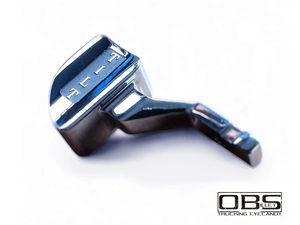
Every bezel, slider, switch, lever, and button is a physical touchpoint. You can restore it, refine it, and make it feel more like your truck. That’s the heart of Cure for the Common Dash. Not a cure for loving a modern truck. Not a complaint about technology. A reminder that the OBS cab has character, and that the details deserve to match it.
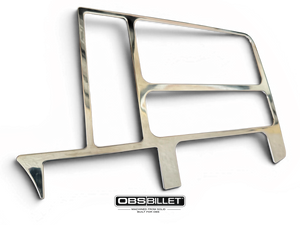
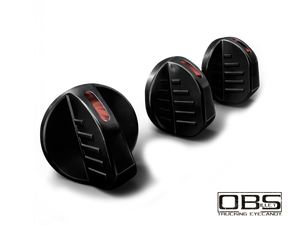
That’s where billet belongs. It adds a considered finish to the parts you see and touch every day, while keeping the spirit of the original interior in view. A billet radio trim surround can give the center stack a cleaner focal point. Climate control knobs put a little more presence into a familiar daily interaction. A billet odometer reset button proves that even the smallest control can be part of a thoughtful build.
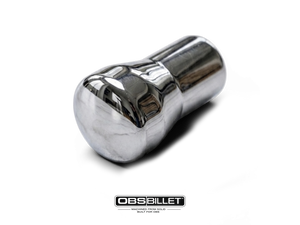
The point isn’t to bolt shiny parts onto every surface. It’s to make the cabin feel intentional. Pick a finish that suits the truck. Repeat it with care. Keep the pieces you touch working as they should. A small detail can make the whole dash feel more complete.
That’s also why an OBS interior is so satisfying to personalize. You can look across it and see the whole landscape of upgradeable touchpoints. A screen, by comparison, is mostly a screen. You can customize what it displays, but you can’t give it the same physical character as a machined bezel, a solid-feeling knob, or a lever that fits the era.
Modern where it helps. Simple where it counts.
OBS owners daily-drive these trucks. We’re not anti-technology. We’re pro-intention.
A modern radio can bring Bluetooth or hands-free calling without turning the whole dash into a tablet. A USB outlet can be handy. Navigation can be useful on a long haul. The trick is adding what genuinely improves your drive without burying the everyday controls under layers of menus.
Keep the basics easy to reach. Set up your route before you roll. Use voice or steering-wheel controls when they’re available and reliable. If something needs reading, scrolling, or troubleshooting, pull over. That’s good advice in any truck, any era.
The best cab isn’t necessarily the one with the fewest features. It’s the one that makes the important things clear, and leaves you room to enjoy the drive.
Keep the dash yours
An OBS cockpit doesn’t need to impress a software engineer. It needs to feel right to the person behind the wheel.
A clear gauge. A familiar knob. A button that does what it says. A dash that lets you take in the road instead of negotiating with a screen. That’s the quiet joy of the simple cab. It’s also why a few well-chosen details can make the interior feel so personal.
Explore the OBS Billet interior collection to see the touchpoints you can make your own. For more build inspiration, browse the OBS Billet journal.
And if you’ve got an OBS dash story: a favorite detail, a first upgrade, or the one control you’re glad never became a menu, share it with us. If you’re part of the Elite Club, bring the conversation there, too.
Cure for the Common Dash. Keep the good parts simple.
